Introduction: The Heart of Consistent Nonwoven Quality
The cross lapper plays a critical role in your nonwoven production line. It takes the thin web from your carding machine and folds it into a thick, layered batt. This batt then moves to the needle loom or thermal bonding oven. If the cross lapper works incorrectly, the final fabric develops thick and thin zones. Consequently, your nonwoven fabric fails quality checks, and waste increases. Therefore, proper cross lapper calibration directly determines your web uniformity. This guide provides five practical steps to calibrate your cross lapper for perfect, consistent layering.


Step 1: Set the Correct Carriage Reversal Point
The carriage moves back and forth across the conveyor, laying the web. At each end, it must reverse exactly at the fabric edge. If the reversal point shifts inward, you get a thin edge. If it shifts outward, you get a folded or bunched edge. Both create poor web uniformity.
How to Calibrate:
First, run the cross lapper without the needle loom engaged. Mark the desired fabric width on the conveyor. Then, watch where the carriage reverses. Adjust the limit switches or sensor positions until the web covers the full width without overhang. Second, verify both ends. Third, repeat the test at different line speeds. Some carriages shift reversal point with speed changes.
Tools You Need: Tape measure, marker, and speed controller.
Expected Result: The web edges are straight, clean, and exactly at the target width.

Step 2: Balance Web Tension Between Carding Machine and Cross Lapper
The carding machine delivers a delicate web. This web must enter the cross lapper without stretching or sagging. Excessive tension stretches the web, creating thin spots. Insufficient tension lets the web sag and fold, creating thick bunches. Both harm web uniformity.
How to Calibrate:
First, install a dancer roller or tension sensor between the machines. Second, adjust the speed ratio between the carding machine output and the cross lapper infeed. Use a variable frequency drive on one of the conveyors. Third, aim for zero web sag and zero visible stretch. The web should appear flat and relaxed. Fourth, run a test and inspect the web for wrinkles or narrowing.
Pro Tip: Photograph the web under good tension and poor tension. Use these images to train operators.
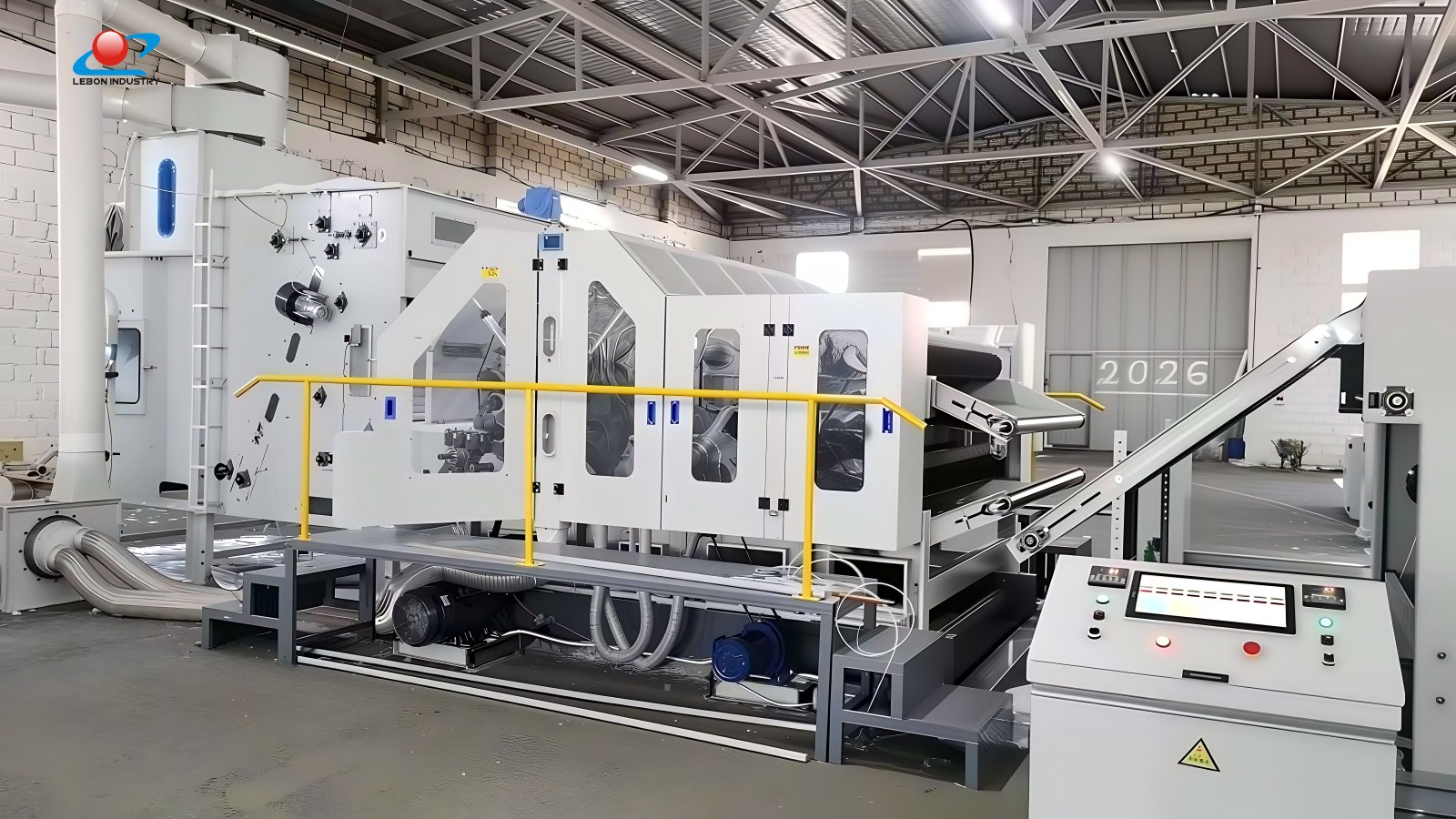
Step 3: Align the Apron Tracking and Tension
The cross lapper uses multiple aprons (conveyor belts) to transport and layer the web. Uneven apron tension causes tracking issues. The apron drifts sideways, creating diagonal wrinkles. Additionally, loose aprons slip and cause irregular layering. Proper cross lapper calibration includes checking every apron.
How to Calibrate:
First, stop the machine and manually check each apron for tension. They should feel firm, not loose or tight. Second, run the machine empty and watch the apron edges. Adjust tracking rollers until the apron runs centered on its rollers. Third, measure the apron tension with a tension gauge if available. Finally, record the tension settings in your maintenance log.
Warning: Worn aprons can never track correctly. Replace them when the surface becomes slick or the edges fray.
Step 4: Optimize the Layering Speed Ratio
The cross lapper carriage speed and the conveyor speed must work together. The carriage lays web at a certain speed. The conveyor moves the layered batt forward at a different speed. The ratio between them determines the number of layers and the final batt weight. An incorrect ratio creates uneven web uniformity across the fabric width.
How to Calibrate:
First, calculate the target layering ratio: carriage speed divided by conveyor speed. Typical ratios range from 1.2 to 2.5. Second, start with a low ratio and increase gradually. Third, stop the machine and examine the batt cross-section. You want consistent layer spacing without gaps or overlaps. Fourth, measure the batt weight at multiple points. Adjust the ratio until the CV% falls below 3%.
Key Insight: Different fiber types and fabric weights require different ratios. Create a settings table for each product you run.
Step 5: Verify and Adjust the Pressure Roller Settings
After the cross lapper lays the batt, a pressure roller or compression roller compresses it slightly. This step removes air and stabilizes the batt before it enters the needle loom. If the pressure roller applies uneven force, the batt thickness varies across the width. This variation transfers directly to the final fabric.
How to Calibrate:
First, check that the pressure roller is perfectly parallel to the conveyor. Use a feeler gauge at both ends. The gap should be identical. Second, adjust the air pressure on pneumatic cylinders (if equipped) to achieve even force. Third, run a test batt and measure its thickness with a caliper at five points across the width. The variation should not exceed 5%. Fourth, clean the roller surface regularly. Residue buildup changes the effective pressure.
Common Mistake: Operators often over-compress the batt. This closes pores and reduces needle penetration efficiency. Use only enough pressure to stabilize the web, not to compact it fully.
Summary Calibration Checklist
Step | Task | Frequency |
1 | Check carriage reversal points | Daily |
2 | Balance web tension | Weekly |
3 | Align apron tracking | Weekly |
4 | Optimize layering speed ratio | Per product change |
5 | Verify pressure roller settings | Daily |
Conclusion: Consistent Calibration Drives Consistent Quality
Your cross lapper does not need complex tools or expensive technicians. It needs disciplined, regular calibration. Follow these five steps, and you will dramatically improve web uniformity. The result is stronger, more consistent nonwoven fabric, lower waste, and happier customers. Start today. Assign one operator to own the calibration process. Keep a logbook of all adjustments. Over time, you will learn the ideal settings for every product.
We manufacture cross lappers designed for easy calibration. Our machines feature digital position readouts, quick-adjust tensioners, and clear maintenance access. Contact us for more information on optimizing your nonwoven production line.